




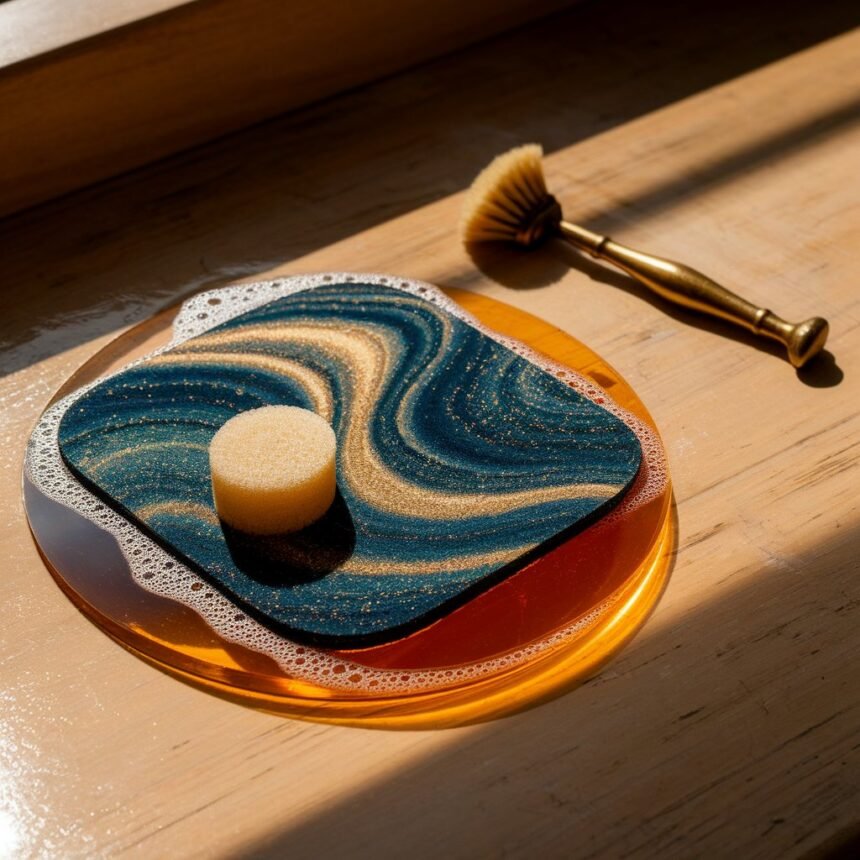
Knowing how to wash mousepad properly is important if you use a mouse pad every day for gaming, work, studying, or general computer use. Over time, a mousepad can collect dust, sweat, skin oils, food particles, dirt and stains, especially around the areas where your hand and wrist regularly rest. This buildup can make the surface look dirty and may also change the way your mouse feels when it moves. A clean mousepad can provide a more consistent surface and make your desk setup look much better.
How to Wash Mousepad by Hand
The safest general method for a washable cloth mousepad is hand washing. First, remove the mousepad from your desk and shake it gently or use a dry soft cloth to remove loose dust and crumbs. Place the pad on a suitable flat surface or in a clean sink or basin, depending on the manufacturer’s instructions. Use lukewarm water rather than very hot water, because excessive heat can potentially affect the fabric, adhesive, rubber backing, printed artwork, or shape of the pad. Add a small amount of mild soap to the water or apply a small amount to the dirty surface, then gently work the soap into the fabric using your fingers, a microfiber cloth, or a soft-bristled brush. Move in gentle circular motions instead of aggressively scrubbing one area. This is especially important around printed designs and stitched edges because excessive force can gradually damage the surface.
After working the soap through the dirty areas, rinse the mousepad thoroughly with clean water until there is no obvious soap residue left. Remaining detergent can make the surface feel unusual after drying and may attract additional dirt. Once the pad has been rinsed, do not twist or wring it aggressively because bending and twisting can damage the fabric or rubber base. Instead, place it between clean towels and gently press to absorb excess water. FNATIC recommends patting the mousepad dry and then allowing it to air-dry away from direct sunlight.
How to Remove Dirt, Oil and Stains
A dirty mousepad often has more than ordinary dust on it. The areas where your palm and wrist rest can accumulate skin oil and sweat, while food and drinks can leave visible stains. For normal dirt, gentle soap and water are usually enough. Start with the mildest cleaning method rather than immediately using strong chemicals. If the stain is concentrated in one location, apply a small amount of mild soap to that area and gently rub it with a soft cloth or soft brush. Give the soap enough time to loosen the dirt before rinsing rather than trying to remove everything through hard scrubbing.
Different manufacturers provide different cleaning recommendations, so the instructions for your specific mousepad should take priority. Corsair, for example, recommends testing a cleaning solution on a small inconspicuous area first and provides a diluted water-and-vinegar option for certain stubborn stains on its non-RGB mousepads. You should not assume that every mousepad can safely use the same stain-removal mixture. Bleach, harsh solvents, abrasive cleaners, and aggressive scrubbing can damage colors, coatings, stitching, or the surface texture, so they are generally better avoided unless the manufacturer specifically approves them.
How to Dry a Mousepad After Washing
Drying is one of the most important parts of washing a mousepad. Even when the cleaning process has been performed correctly, using the mousepad while it is still damp can cause problems with its shape, backing, or surface. After washing, gently remove excess water with a towel and place the mousepad flat in a well-ventilated area. Avoid hanging a wet mousepad from one corner because its weight can cause stretching or deformation. You should also avoid placing it under strong direct sunlight for long periods because heat and UV exposure can affect some materials and printed designs.
Do not use a hair dryer on a high-heat setting or place the mousepad on a radiator or other strong heat source. Thermaltake specifically recommends air drying and warns against direct sunlight and hot drying methods, while FNATIC recommends keeping the mousepad away from the sun and allowing it to air-dry for at least 12 hours, with 24 hours recommended. The safest approach is to wait until the entire mousepad is completely dry, including the underside and edges, before putting it back on your desk and using your mouse.
How to Clean an RGB or Electronic Mousepad
The same general principle applies to other powered mousepads: never assume that an RGB mousepad is waterproof simply because its surface is fabric. Moisture can reach electronic components through seams or around the control box. If your specific model has manufacturer cleaning instructions, follow those instructions rather than using a generic washing method. For example, Razer’s 2026 cleaning guidance says its Chroma-powered mats should be unplugged before cleaning and provides specific instructions for wiping them.
Common Mistakes to Avoid When Washing a Mousepad
One of the biggest mistakes people make when learning how to wash mousepad is treating every mousepad as if it were identical. A normal cloth pad, RGB pad, hard plastic pad, glass pad, and specialty gaming mat can have completely different cleaning requirements. Another common mistake is using hot water, harsh chemicals, abrasive brushes, or excessive force. These methods may remove dirt quickly but can also damage the surface or cause colors to fade. Another problem is putting a mousepad in a washing machine without checking the manufacturer’s instructions. FNATIC explicitly recommends hand-washing and says not to put its mousepads in a washing machine.
You should also avoid using a mousepad before it has dried completely. A damp surface can feel different under the mouse and, depending on the construction, moisture can affect the backing or adhesive. For electronic mousepads, using the device before it is completely dry introduces additional risk. Razer also advises against certain solvents and alcohol-based cleaning solutions for its devices, demonstrating why it is important to check the manufacturer’s instructions instead of assuming that a particular cleaner is universally safe.
How Often Should You Clean Your Mousepad?
A good approach is to perform light maintenance regularly and a deeper cleaning when the surface becomes visibly dirty or the mouse movement begins to feel different. Wiping loose dust and debris with a dry or slightly damp microfiber cloth can reduce the amount of grime that builds up between deeper cleanings. If your mousepad manufacturer provides a recommended cleaning schedule, follow that guidance. Regular maintenance is generally easier than allowing months of dirt and oils to accumulate and then trying to remove everything through aggressive scrubbing.
Frequently Asked Questions About Washing a Mousepad
Can you wash a cloth mousepad with water?
Yes, many cloth mousepads can be cleaned with water, but the exact method depends on the manufacturer’s instructions. Lukewarm or room-temperature water and mild soap are commonly recommended for suitable fabric mousepads. Hand washing is generally preferable to aggressive machine washing unless the manufacturer specifically says a washing machine is safe.
Can I use dish soap to clean my mousepad?
A small amount of mild dish soap can be suitable for some cloth mousepads, but you should check the manufacturer’s cleaning instructions first. Use only a small quantity and rinse thoroughly so that no soap remains in the fabric.
Can I put my mousepad in the washing machine?
You should not automatically put a mousepad in a washing machine. Some products may tolerate machine washing, but others can have their rubber backing, stitching, coating, or printed design damaged. FNATIC specifically advises against putting its mousepads in a washing machine.
How long does a mousepad take to dry?
Drying time varies according to thickness, material, humidity, ventilation, and how much water was absorbed. It is best to leave the mousepad flat and air-drying until completely dry. FNATIC recommends at least 12 hours and says 24 hours is preferable for its mousepads.
Can I use a hair dryer to dry my mousepad?
It is safer to air-dry a mousepad rather than applying strong heat. Thermaltake specifically warns against hot drying machines and hair dryers for its desk mats because heat can contribute to shrinking, warping, or stretching.
How do I clean an RGB mousepad?
An RGB mousepad should generally be unplugged before cleaning and should not be submerged. Use a lightly damp microfiber cloth and keep moisture away from the electronic components. Always follow the cleaning instructions for your particular model.
What is the best way to clean a gaming mousepad?
For a washable cloth gaming mousepad, hand washing with lukewarm water and a small amount of mild soap, followed by thorough rinsing and flat air-drying, is a common approach. However, specialty, RGB, glass, and hard mousepads require different cleaning methods, so the manufacturer’s instructions should take priority.
Conclusion
Learning <a href=”https://chatropolis.co.uk/myanonamouse-ebooks-audiobooks-private-tracker-and-membership/”>how to wash mousepad does not have to be difficult, but using the correct method is important if you want to protect the surface and extend the life of your mousepad. For a standard washable cloth mousepad, start by removing loose dirt, use lukewarm water and mild soap, gently clean the surface without aggressive scrubbing, rinse away all soap, and remove excess water with a towel. The most important final step is to let the mousepad air-dry completely while lying flat before using it again. Avoid harsh chemicals, excessive heat, abrasive brushes, and unnecessary twisting or squeezing.
<p>The cleaning method changes when you have an RGB mousepad, electronic mousepad, hard mousepad, or glass mousepad, so always check the product manufacturer’s instructions before washing. With regular gentle maintenance and proper cleaning, your mousepad can remain cleaner, look better, and provide a more consistent surface for gaming and everyday computer use.